ASDS
ASDS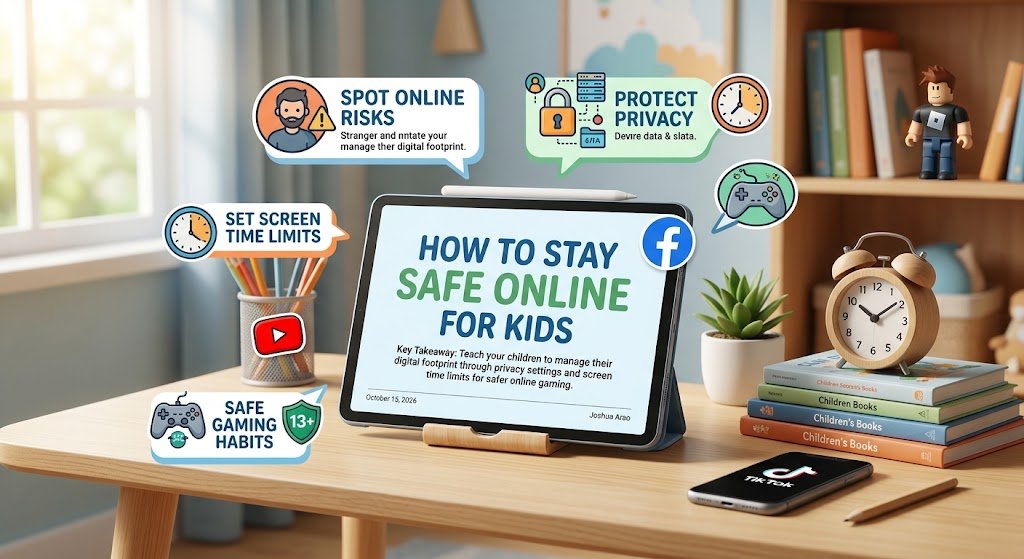
How to Stay Safe Online for Kids: A Parent's Complete Guide
When a child sends "I saw this on Instagram," it sounds innocent. But that "saw" can quickly turn into data being scraped, cookies being tracked, or digital footprints left in search logs. We are living in the age of Social Engineering, where AI algorithms analyze social signals to predict behavior and find new ways to connect with children. The real danger isn't just malware; it's the unintended exposure of children's location and habits.
This guide is designed for parents and kids:
- Safety First: How to spot online risks in modern platforms
- Privacy Protection: Keeping your digital life secure from data brokers -Gaming Safety: Protecting minors in virtual worlds with smart settings
The Hidden Risk of Online Sharing for Kids
In the past, "sharing" meant sending a photo to a friend. Today, "sharing" means broadcasting metadata that includes:
- Location (GPS data hidden in geotagged photos)
- Devices used (type of smartphone/model identified by screen characteristics)
- Timezone and IP address (which can reveal general location within city/state)
If you aren't careful about these details, children might end up on lists for data brokers or be targeted by scammers. The first step to safety is teaching them that digital footprints are permanent records. You cannot easily delete the history of every action taken online by a platform owner without technical knowledge and tools.
How Parents Can Spot Online Risks
- Stranger Danger: Never talk to anyone outside your family circle who you haven't met in person
- Privacy Policies: Check settings before logging into new sites or apps, especially for social media platforms
- Screen Time Limits: Establish clear limits on how long kids can use devices without breaks and without parental permission
Warning Signs Children Should Report Immediately
- Unfamiliar app requests or password prompts
- Screenshots of accounts shared by parents or guardians
- Unknown people claiming to know personal information that they don't
Safe Gaming Habits for Children Under 13
Gaming is a social activity for many kids. It offers entertainment but also opens up risks of toxic environments. The most common dangers in gaming include:
- Inappropriate Content: Mature games rated M or T can contain violent themes or suggestive imagery
- Toxic Behavior: Other players may use language they don't understand, which can affect emotional development
Setting Up Safe Gamers
- Privacy Settings: Most gaming platforms have strict privacy controls including age verification and communication restrictions
- Parental Controls: Use features like Family Link for Android or Apple's Screen Time to restrict spending and content ratings
- Age Verification: Ensure the platform knows your child's true age through ID verification systems
Best Practices for Parents Monitoring Gaming
- Keep passwords secure and known only by adults in the household
- Set daily limits based on screen time recommendations from health organizations
- Review chat logs periodically for concerning language or behavior patterns
- Use game ratings from ESRB or PEGI to age-appropriateness
Digital Footprint: Protecting Your Child's Online Identity
Your child might not understand that clicking "Share" sends data beyond the platform. This includes:
- Device Data: Browser cookies track browsing patterns across websites
- Location Metadata: GPS coordinates can reveal home address in location-based apps
- Account History: All past searches and interactions create a permanent digital record
The Privacy Problem with Social Media Platforms
Modern platforms collect data about children through social media accounts. This information is then sold to advertising networks or used to build user profiles